
Data Validation Manager Free Data Validation Add-on for Google Sheets
Every dropdown and validation rule, every invalid entry. One sidebar.
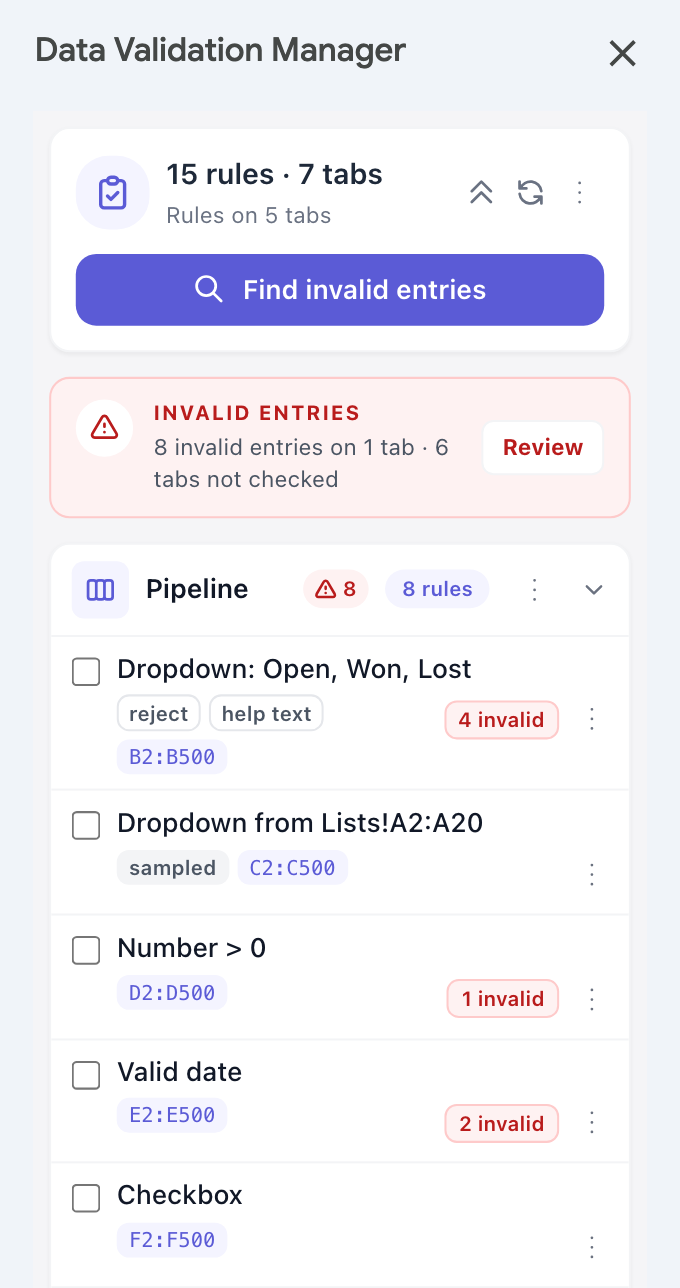
Data Validation Manager lists every data validation rule on every tab of your spreadsheet, finds the entries that break them in one click, and lets you copy, propagate and back rules up as JSON. Built for anyone who maintains shared sheets, templates and trackers.
Spreadsheet content is not sent to external CloudNetix servers. Everything runs inside your Google Workspace environment.
Why it matters
Validation rules are invisible until a wrong entry slips through.
Google Sheets lists validation rules one tab at a time, has no command that finds every invalid cell, and breaks dropdowns from a range when you paste them into another file. Rules pile up across tabs, and the entries that violate them hide behind tiny red triangles.
Simple to use
From hidden rules to a clean workbook in three steps.
Data Validation Manager is a sidebar add-on. No account needed: open your spreadsheet and start.
What it does
Everything data validation needs, in one sidebar.
Six things Google Sheets does not do for you, each one click away.
Privacy & trust
Designed with privacy in mind.
Data Validation Manager runs inside your Google Workspace environment. Spreadsheet content is used only to provide the features you use in the sidebar.
Product preview
See it in action.
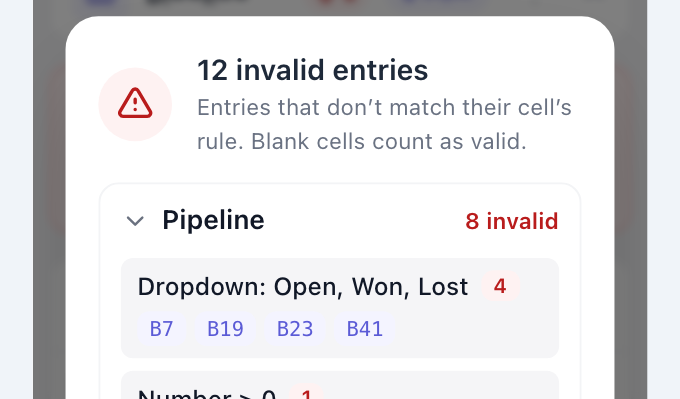
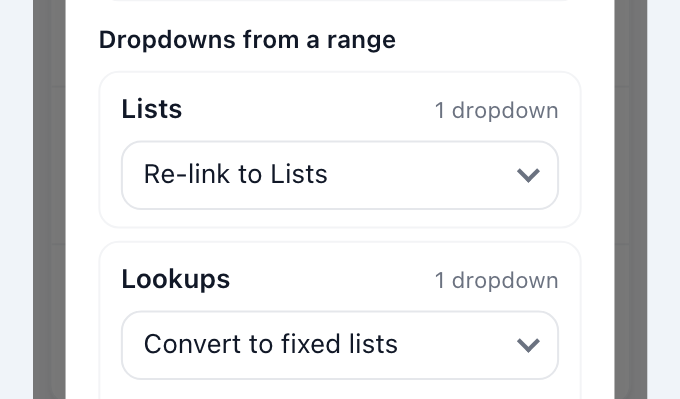
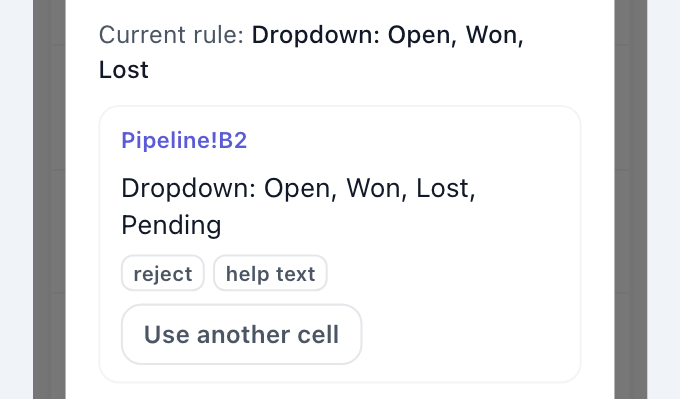
Data Validation Manager runs as a sidebar inside Google Sheets. Three of the things you will use most:
Common questions
Frequently asked questions.
If you have a question not answered here, contact support@cloudnetix.de.
Is Data Validation Manager free?
Does it send spreadsheet data to CloudNetix servers?
What permissions does it need?
Can I copy dropdowns to another spreadsheet?
Where do I create or edit rules?
Does it change my cell values?
Can I undo a change?
Is this an official Google product?
Get started
Know every rule. Catch every invalid entry.
Free, with no subscription. Open the sidebar and start.